Having an accessible org chart no matter the size of your company is a high strategic priority for any HR department. It’s the visual pulse of your organization—a map that defines reporting lines, clarifies roles, and helps everyone understand how they fit into the bigger picture.
But as companies grow, that map gets harder to read. We’ve heard from our customers that as organizations scale into the hundreds or thousands, the "single screen" view often isn't enough. Teams were spending hours manually stitching together screenshots or recreating charts in slide decks just to get a comprehensive physical or digital copy.
At Sift, our goal is to make organizational clarity effortless. That’s why we are thrilled to announce our latest feature: Bulk Printing for Large Org Charts.
Want more from Sift?
Sign up for The Forge Newsletter, a monthly round-up of the best pieces from our blog, valuable resources, and updates from the team!
Thank you! Your submission has been received!
Oops! Something went wrong while submitting the form.
Beyond the Screen: Robust Printing for Modern Teams
Our new bulk printing capability transforms the Sift org chart from a digital-only tool into a versatile, portable asset. By generating multi-page, high-quality PDFs, we’ve eliminated the "manual work" and replaced it with a streamlined, professional export process.
Key features include:
Multi-Page PDF Generation: No more squinting at tiny text. Sift now intelligently splits large charts into multiple pages for maximum readability.
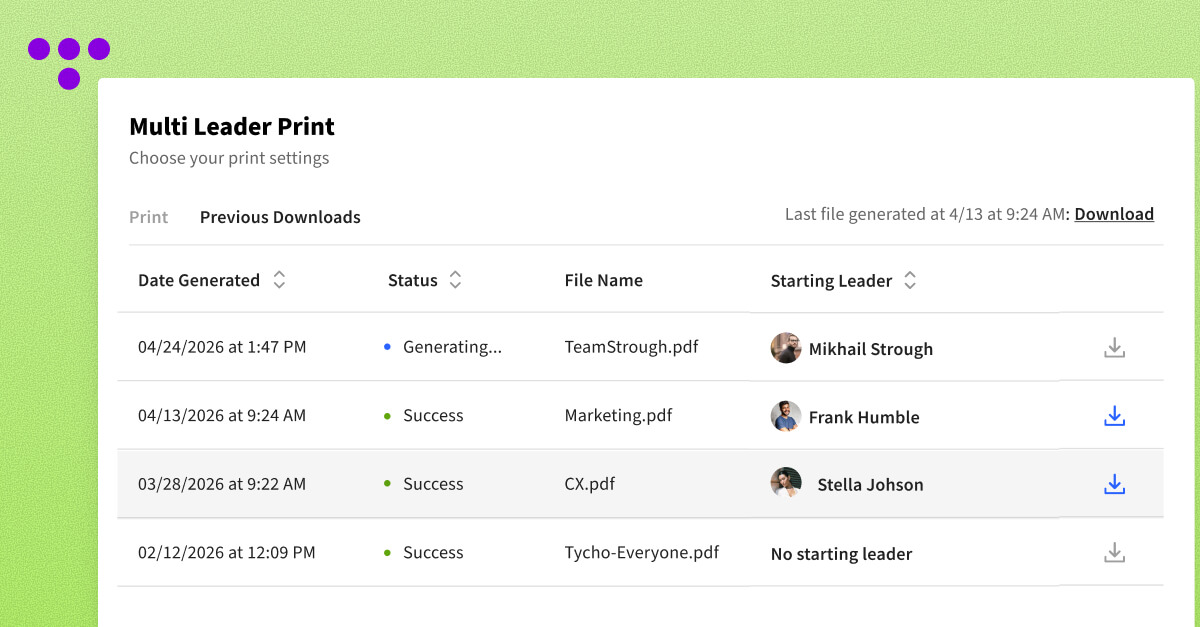
Customizable Starting Points: You don’t always need the whole company. Choose a specific "Starting Leader" to export only the departments or branches that matter for your current project.
Granular Level Control: Whether you need the full hierarchy or just the top three tiers of leadership, you can set exactly how many levels to include in your print.
Background Processing: Large charts take data to build. Instead of staring at a loading bar, Sift processes your export in the background and notifies you the second it’s ready.
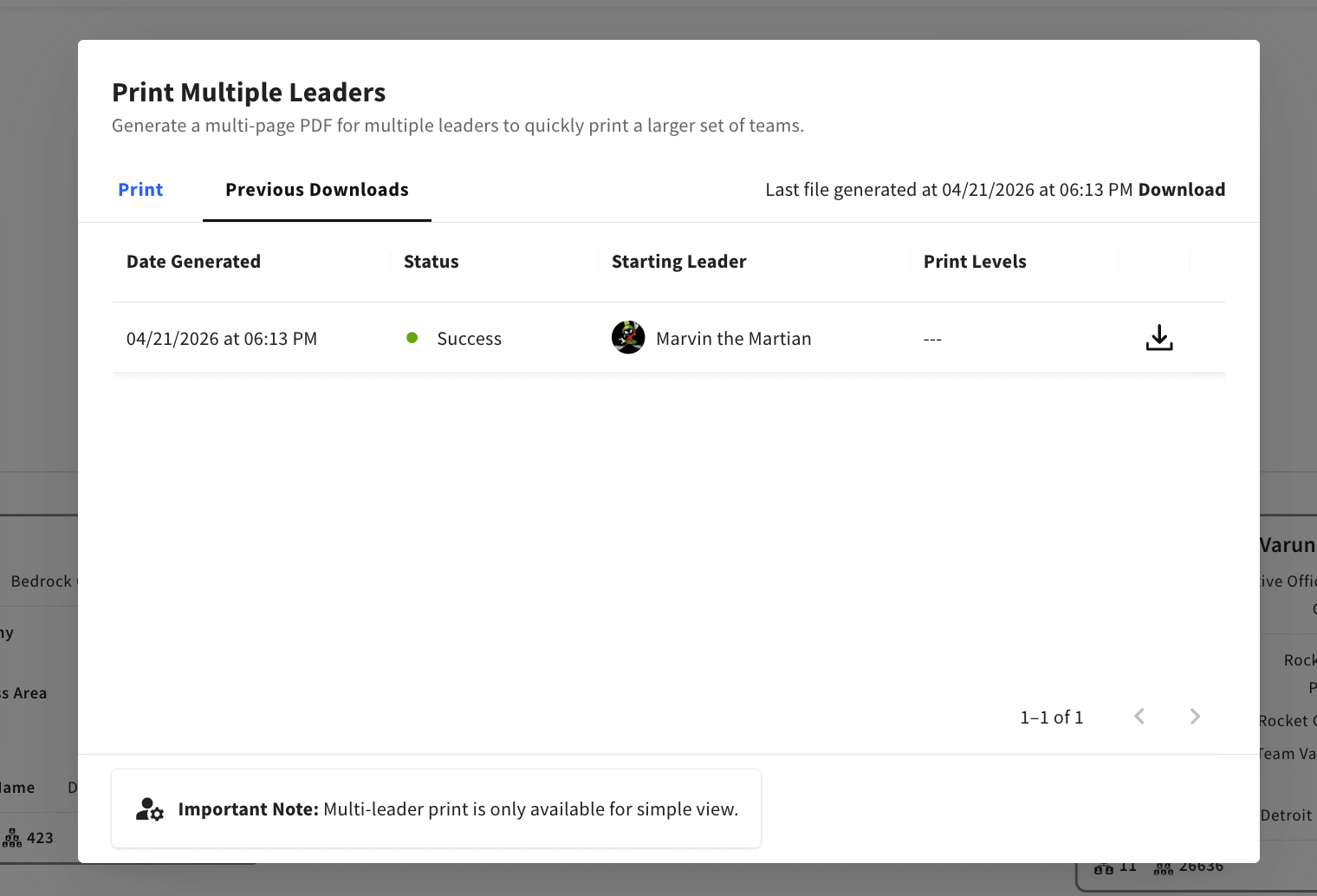
Download History: Access the "Previous Downloads" tab to quickly re-download a recent report, saving you time on repetitive tasks.
Real-World Impact: 3 Ways to Use Bulk Printing
While this feature was built to make Sift more robust, it was truly inspired by the way you work. Here are three primary use cases where bulk printing is a game-changer:
1. Strategic Planning and Executive Awareness
The Data Analyst’s Hero: Often, leadership teams want a physical or comprehensive digital "look-book" of the entire organization for quarterly planning or restructuring discussions. Instead of a data analyst spending a full afternoon manually building a visual guide, they can now select the CEO as the starting leader, choose "all levels," and generate a professional PDF in minutes. It’s the "entire org chart" at their fingertips, ready for the boardroom.
The HR Generalist’s Toolkit: When a new hire joins a massive department—say, a Global Engineering team—they can often feel lost in the sea of names. HR professionals can now print a detailed "Blueprint" of specific departments by setting a Department Head as the starting leader. These can be included in digital onboarding packets or printed as physical handouts for orientation, giving new hires a clear, navigable guide to their immediate teammates and leaders.
3. Compliance, Audit, and Record-Keeping
The People Ops Professional’s Record: In many industries, maintaining a "point-in-time" record of organizational structure is a requirement for internal audits or regulatory compliance. Screen-capturing a dynamic chart is messy and incomplete. With bulk printing, People Ops teams can generate a full organizational snapshot every quarter, ensuring they have a standardized, archived PDF that documents exactly how the company was structured at any given time.
How to Get Started
Administrative users can find the new printing options by heading over to the Simple View and clicking the Print Icon, then selecting "Print Multiple Leaders."
Note: By default, this feature is available to administrative users. To empower your entire team to export their own views, simply navigate to the "Feature Management -> Org Chart" settings in your Admin Dashboard to toggle access.
At Sift, we’re committed to making your organizational data work for you—not the other way around. We can’t wait to see how you use Bulk Printing to bring more clarity to your company!