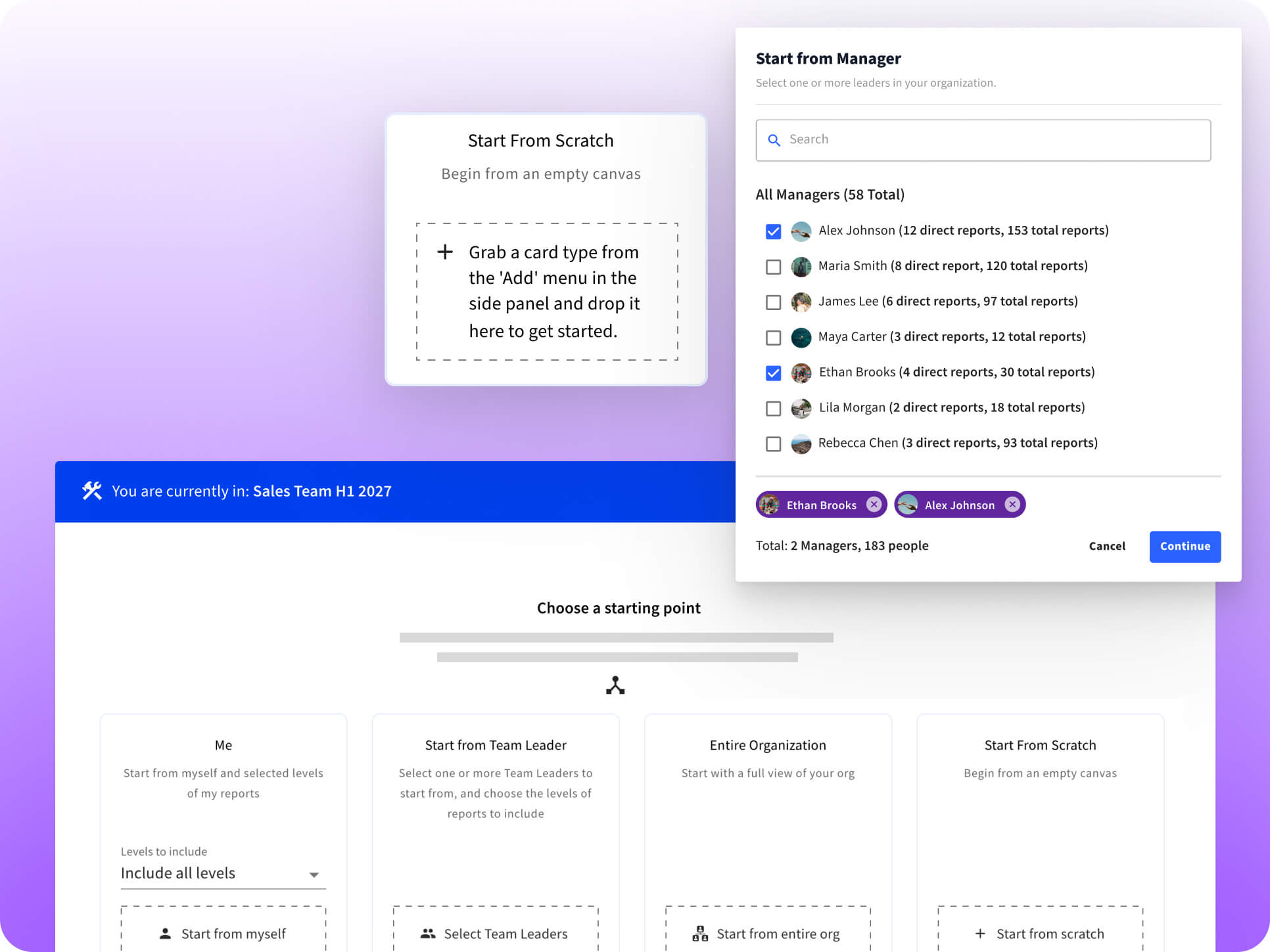
Every scenario is its own sandbox. Build a reorg, model a leadership transition, or sketch a merged structure. That means you can hand a scenario to a manager or a Finance partner to explore without worrying they'll accidentally change something that's actually live.
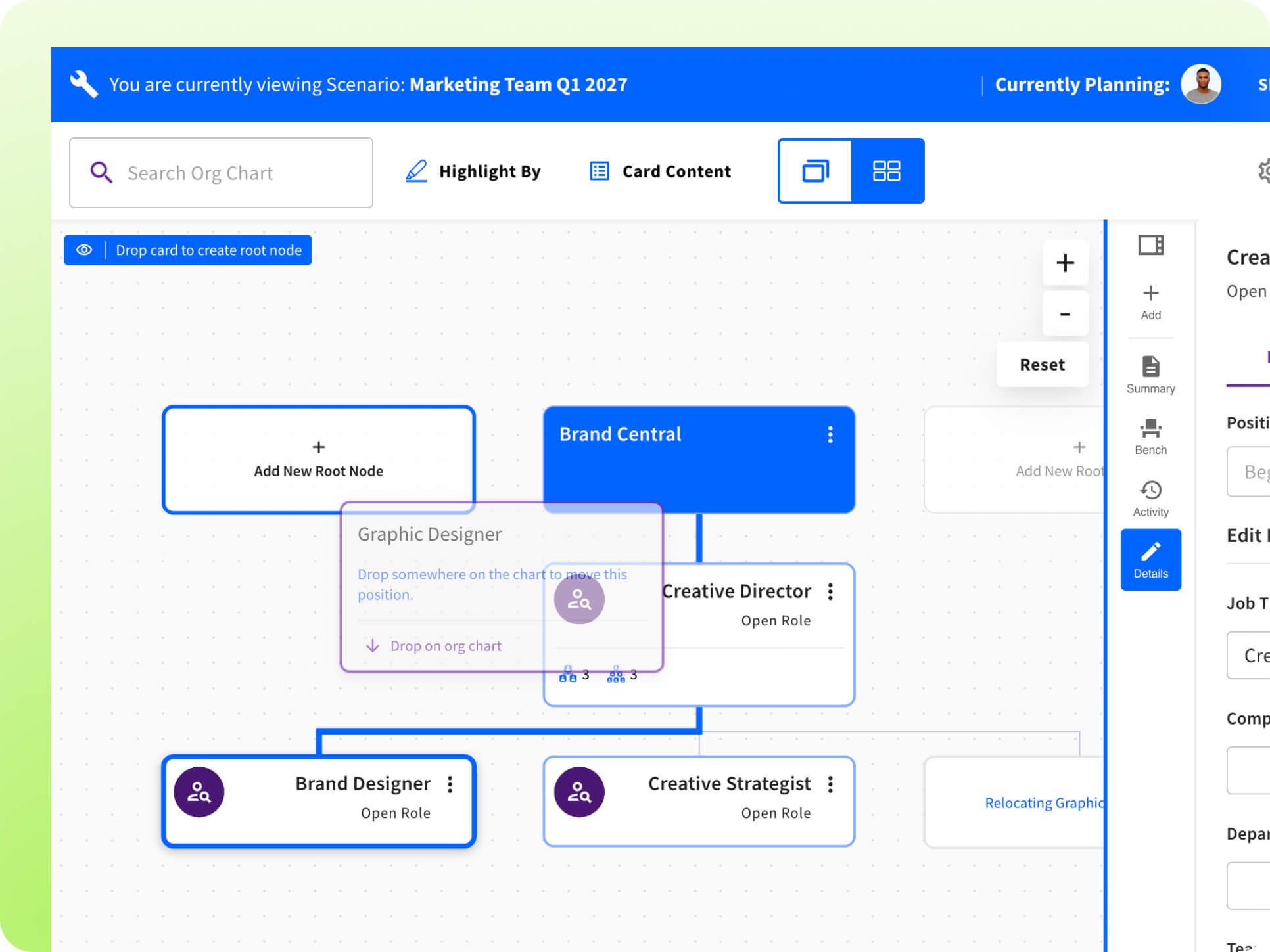
The drag-and-drop editor is built to mirror how you actually think through a change — pick up a card, move it where it needs to go, and let the chart handle the rest.
Whether you're rebalancing a manager's span of control, planning a succession, or modeling a post-acquisition structure, the mechanics stay the same: pick it up, move it, see the result.
Plans aren't limited to people who are already in your systems. Create net-new positions, employees, or org nodes directly on the canvas — ideal for modeling a hiring surge, a backfill, or a role that only exists on paper so far.
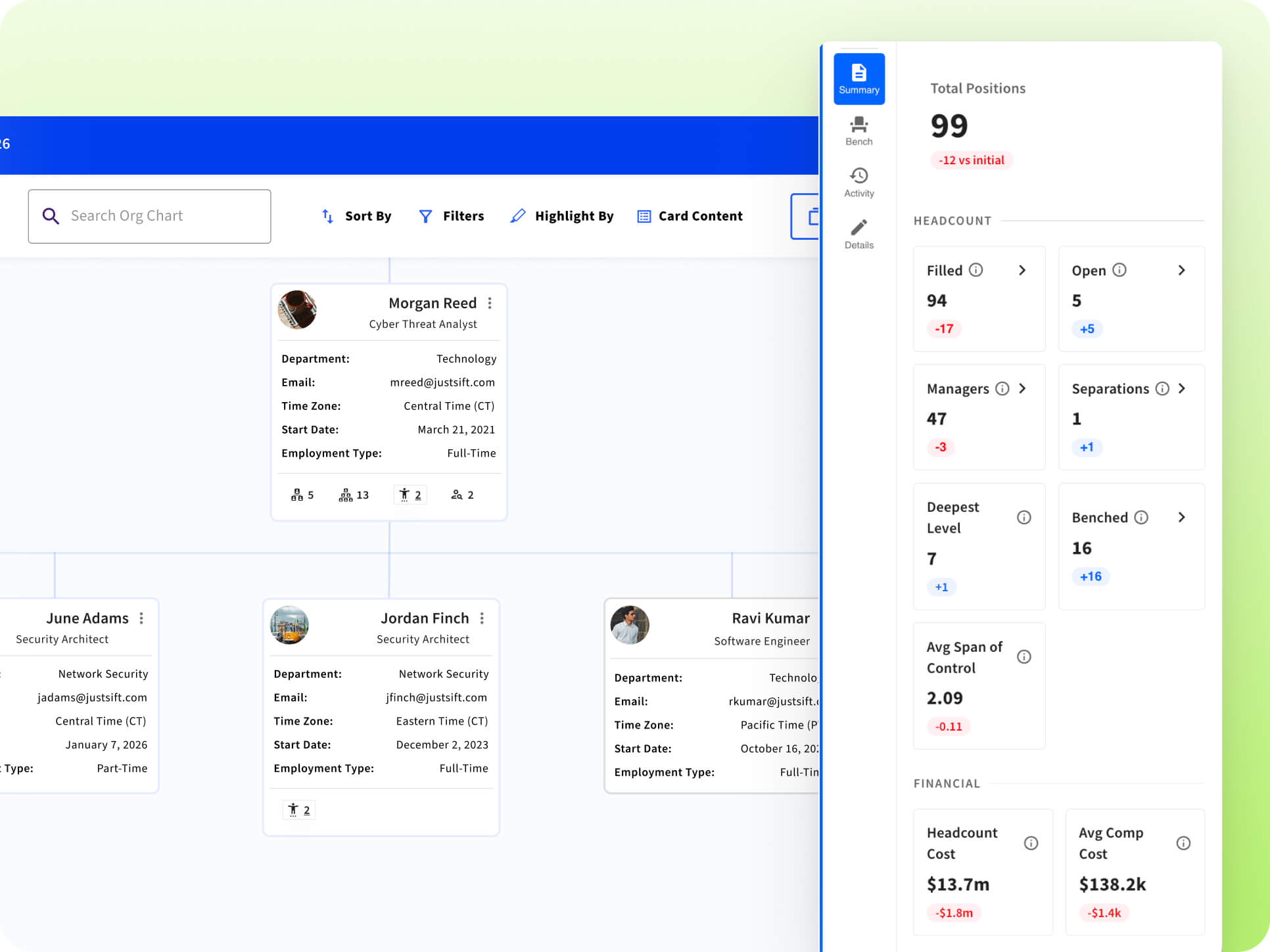
Click into any card and the interactive sidebar becomes your control center. No jumping between screens to get the full picture.
The planning Scenario Summary automatically rolls up headcount and compensation metrics as you build, so you always know not just what it looks like, but what it means for budget and headcount.
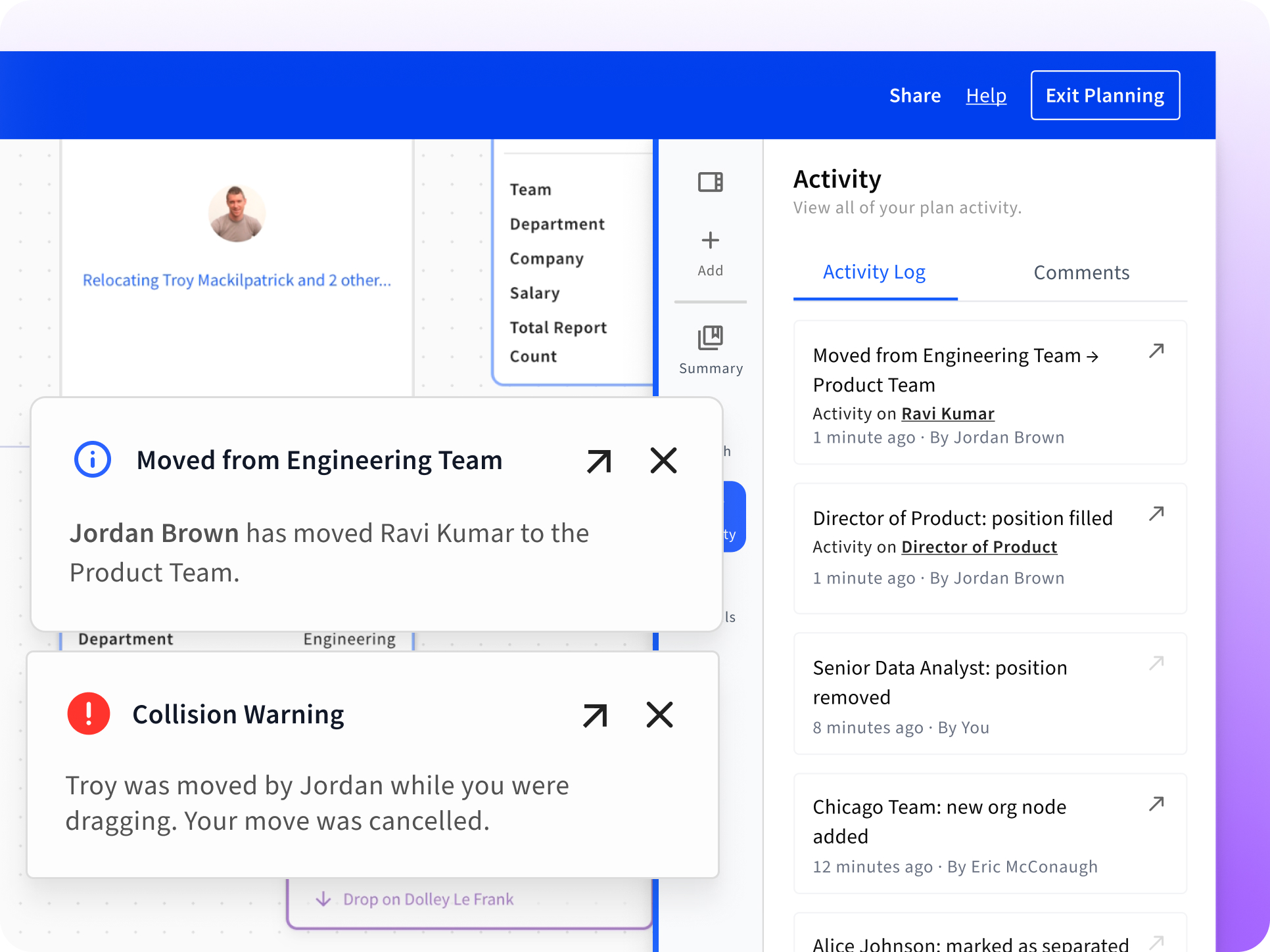
A running change history logs every edit made within a scenario — what changed, when, and who made the change — so nothing gets lost between the first draft and the version leadership signs off on.
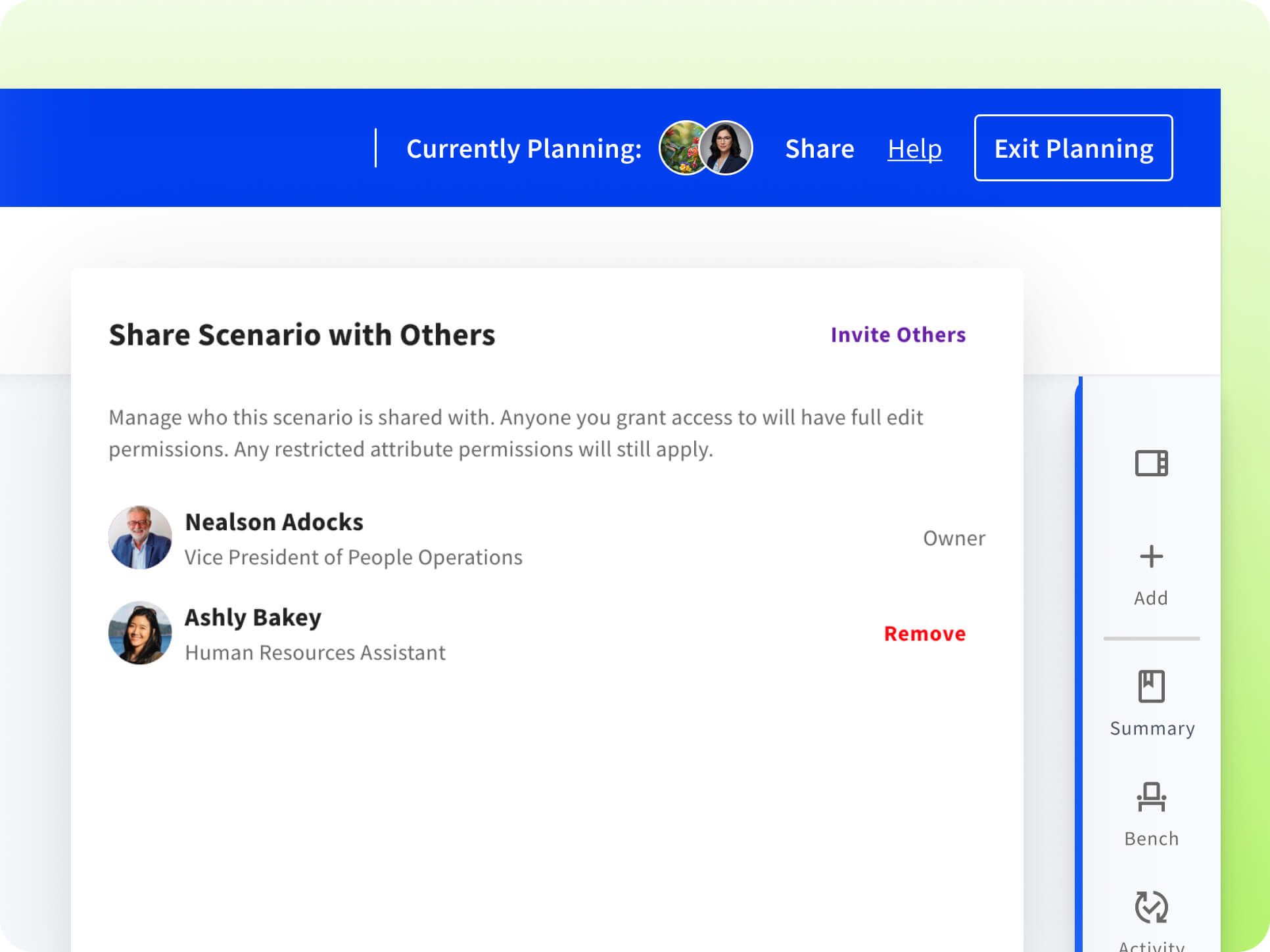
Scenarios are shared and co-editable, so HR, Finance, and the frontline leaders affected by a plan can all work from the same live version instead of reconciling separate exports. Comment directly on the Scenario or on individual nodes to ask a question, flag a concern, or leave context for the next person — and a live activity feed shows who else is in the scenario and what they're working on, in real time.