
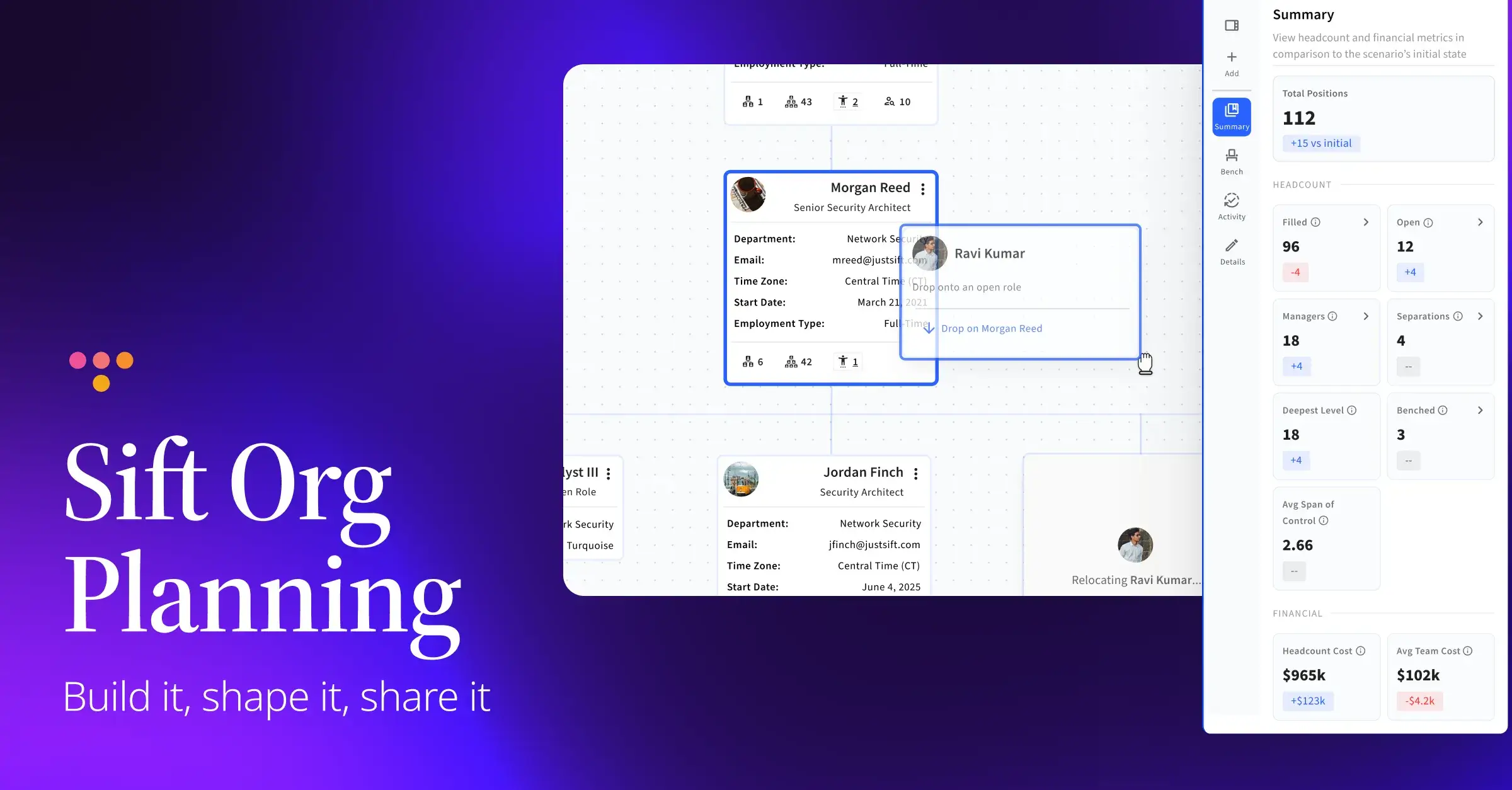

It's 4:40 on a Thursday, and the reorg deck is on version 11. The VP of Sales moved two managers around in a reply-all this morning. The comp numbers live in a spreadsheet on Finance's drive, and nobody is sure which tab is current. Then someone on the planning call points out that one of the people in a shiny new box on slide 6 gave their two weeks' notice on Monday.
If you've been part of planning an org change, some version of that afternoon probably sounds familiar. The plan itself might be solid. The problem is that it's being built in places that have no connection to the actual organization, so it starts going stale the moment you save it.
Here at Sift, that's the gap we set out to close. Today we're excited to introduce Sift Org Planning, a new way for HR leaders and business leaders to build, compare, and share proposed org structures using live, HRIS-synced data, all before a change is announced.
Why org planning keeps getting harder
The pressure on org design has picked up a lot this year. AI is changing what some roles look like faster than job structures can keep up, and redeploying people well means knowing what they can actually do. Acquisitions close and the integration work starts almost immediately. And more HR teams are moving away from planning around titles and headcount toward planning around skills and capabilities.
Each of those shifts asks the same thing of HR: a clear, current picture of the organization to plan from. The usual tools make that hard. Reorgs get mapped out in slides that are outdated as soon as someone changes teams. Integration scenarios live in spreadsheets with no link to your HR system of record. Skills data sits in several different places, and pulling it together takes analyst time most teams don't have.
"HR teams have always had to leave their org chart to plan the future of their org," said Larry Angeli, CEO of Sift. "Sift Org Planning closes that gap." Angeli describes it as a way to turn the org chart itself into a shared canvas, where HR leaders and business leaders can design around capability and see the impact of every decision together before anything is announced.
How Sift Org Planning works
Org Planning builds on the Sift org chart you and your team already use. You create a Scenario, which starts from your current org data (or a blank canvas if you'd rather start fresh), and then you move cards and edit details to model the structure you're proposing. Your live org chart stays exactly as it is while you work.
Every scenario is made up of three kinds of building blocks. People are the individuals in your organization. Positions are roles, which can be filled by a person or left open. Organizational units are the teams, departments, and other groups that hold everything together.
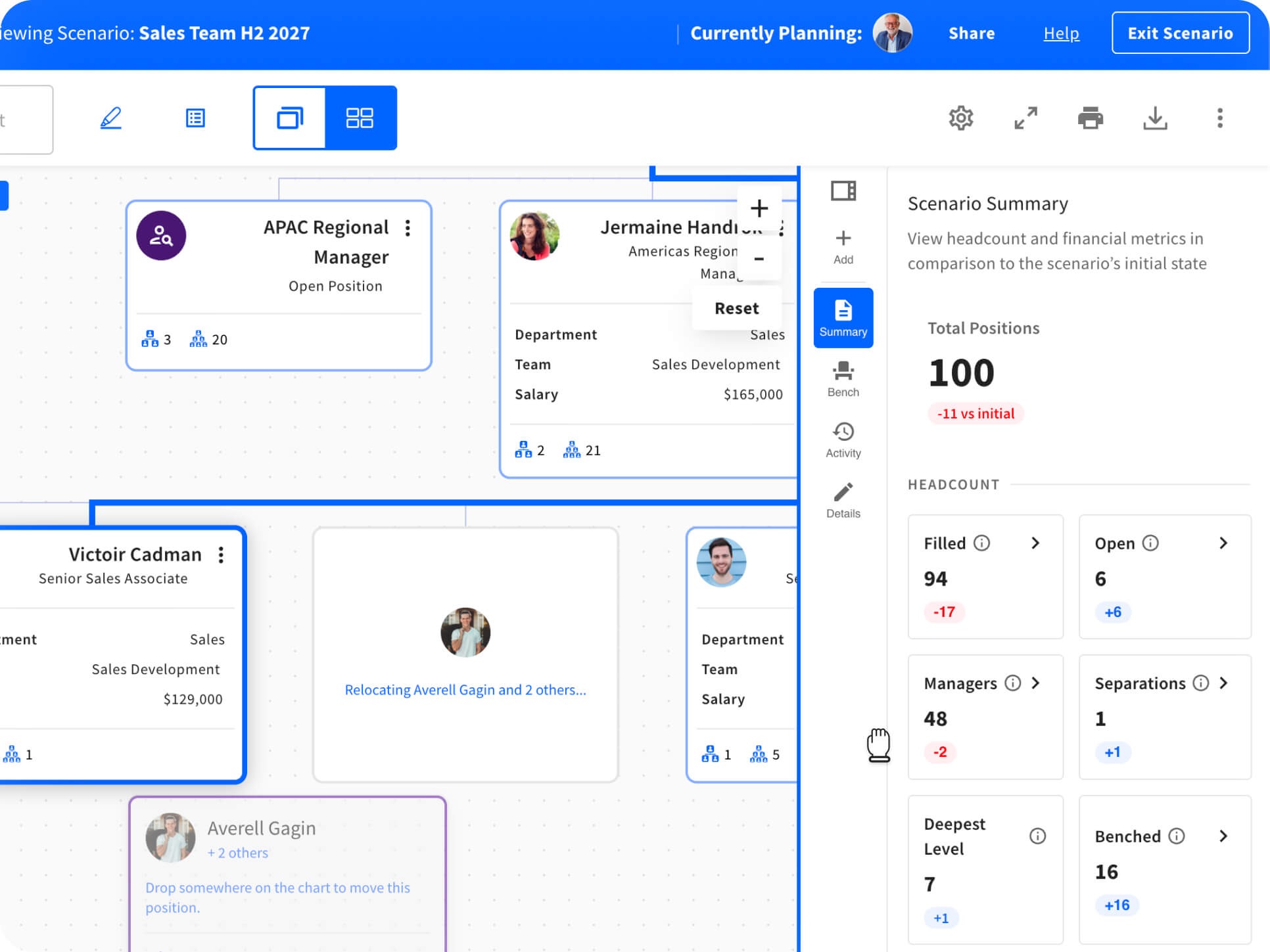
Drag and drop your proposed structure
Hover over any card to see what you can do with it, then drag it where it needs to go. Moving a person and moving a position work differently, on purpose. When you move a person, you're moving that individual into another position (or onto the Bench, more on that below). When you move a position, the role, the person in it, and the whole reporting structure underneath it move together. That makes it quick to shift an entire team under a new leader without rebuilding it card by card.
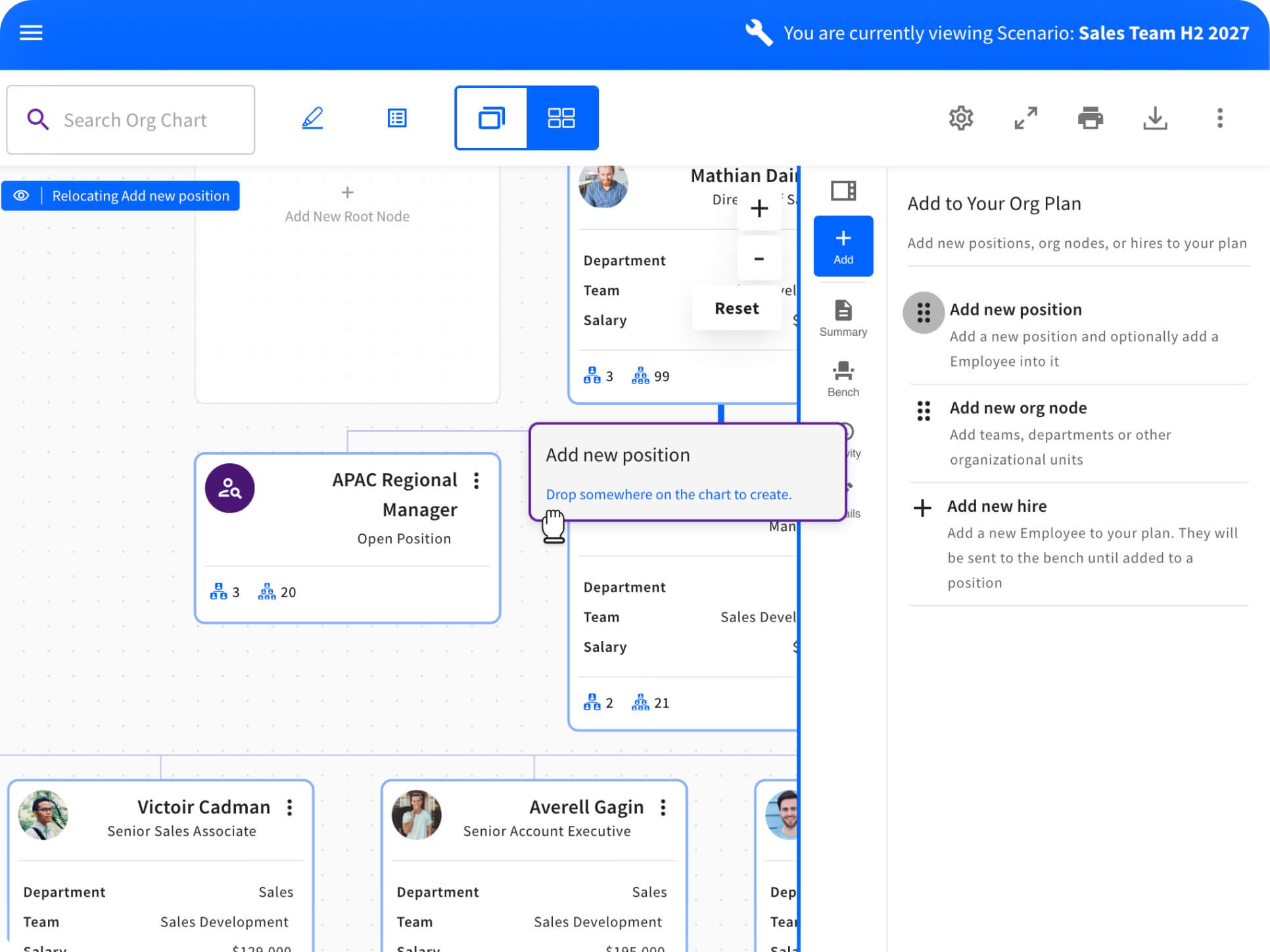
Add roles and people that don't exist yet
Planning usually involves things that aren't in your HRIS yet. From the Add option in the side panel, you can drop new positions and organizational units onto the chart, and you can add new hires by name. That's handy when you're mapping out a hiring push or sketching what a combined org could look like after an acquisition.
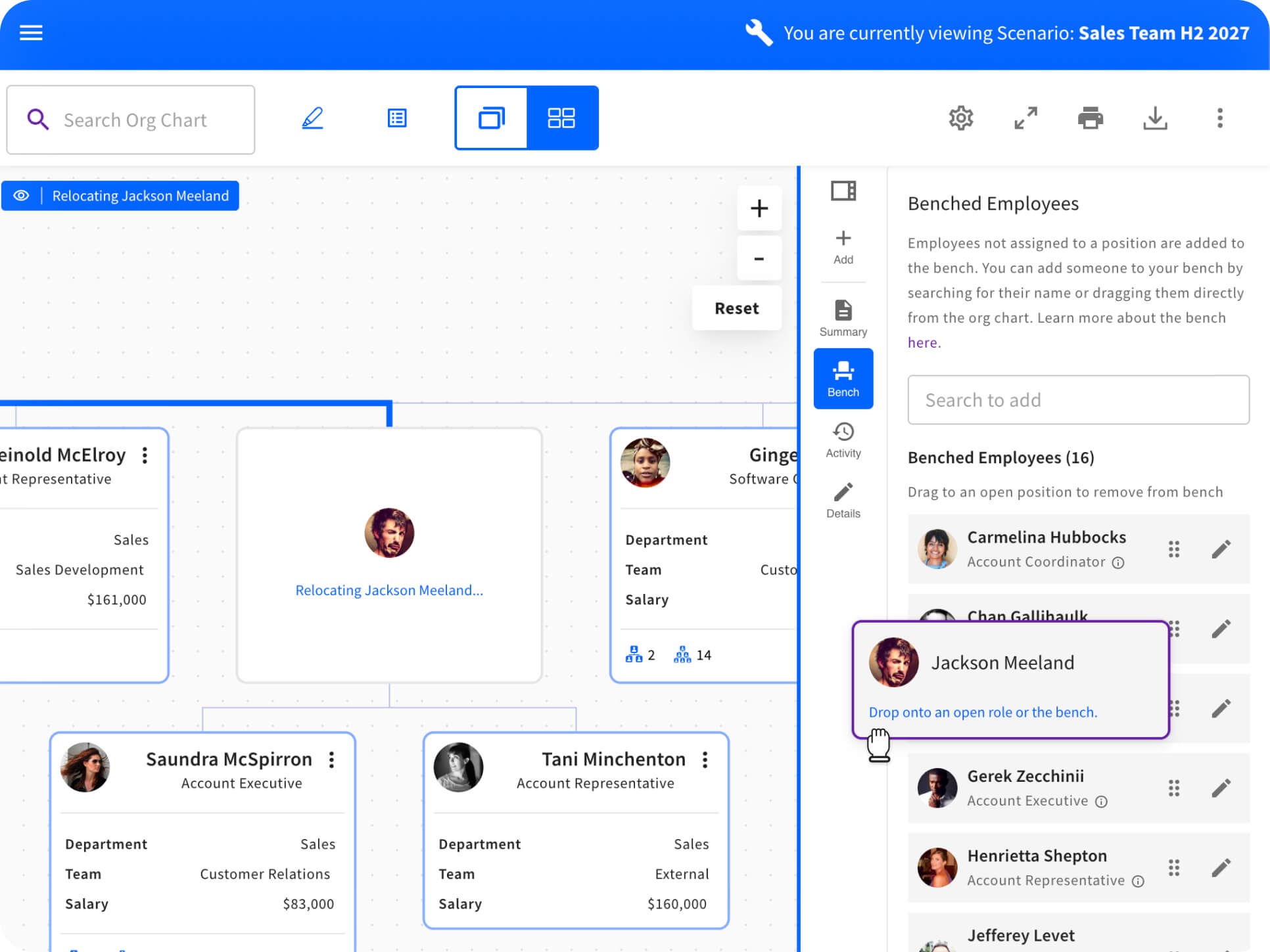
Park people on the Bench while you decide
The Bench holds anyone who isn't assigned to a position in your scenario yet. Drag someone there while you figure out where they fit, or search for people from your live data who weren't part of the plan when you started. New hires land on the Bench too, until you place them in an open position.
See the impact as you go
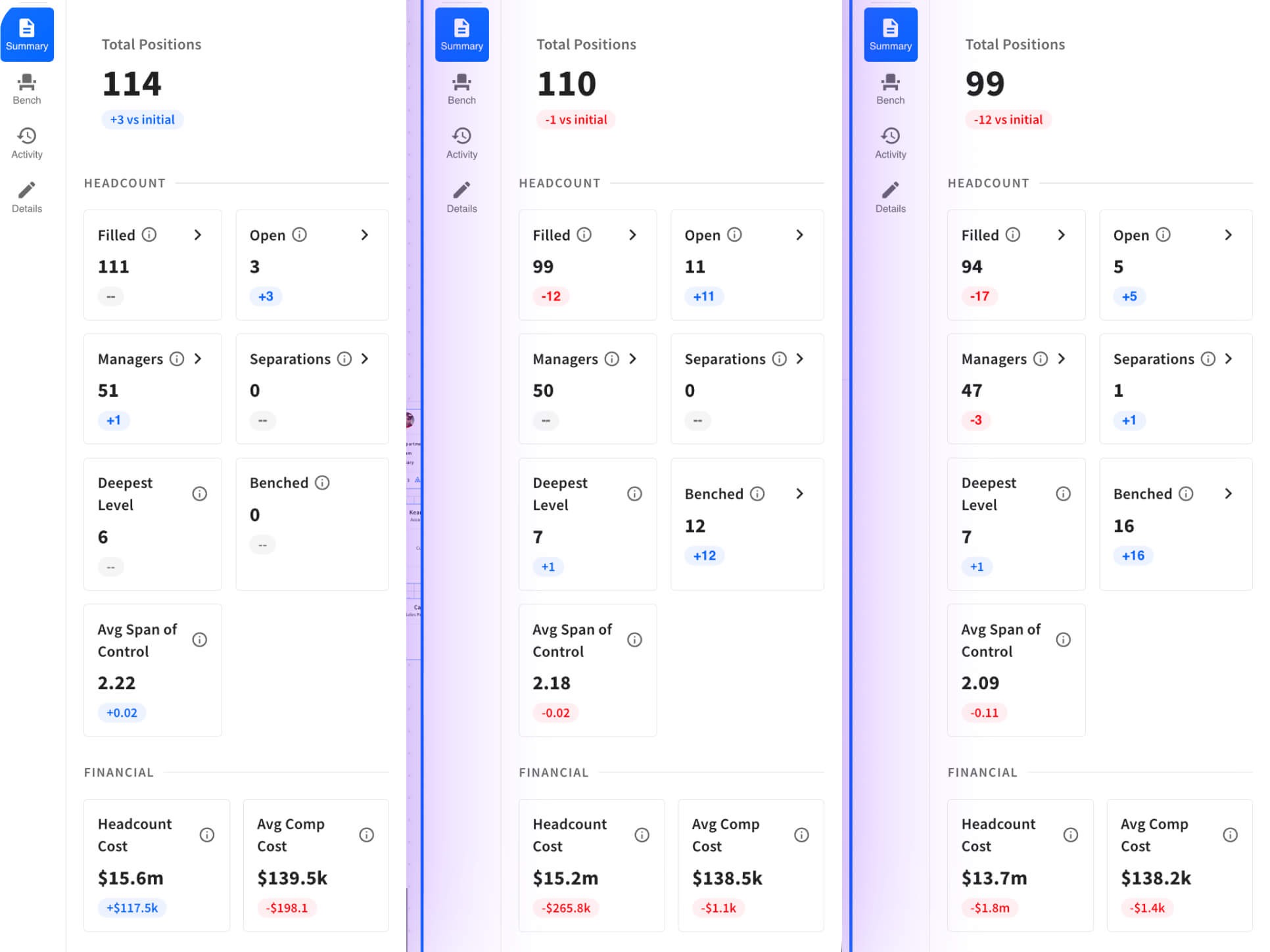
The Summary in the side panel rolls up the staffing impact of your scenario as you make changes. If your organization has enabled salary data, you'll see the compensation impact right there as well, so the conversation with Finance happens alongside the structural changes instead of three days later.
Plan together, in one place
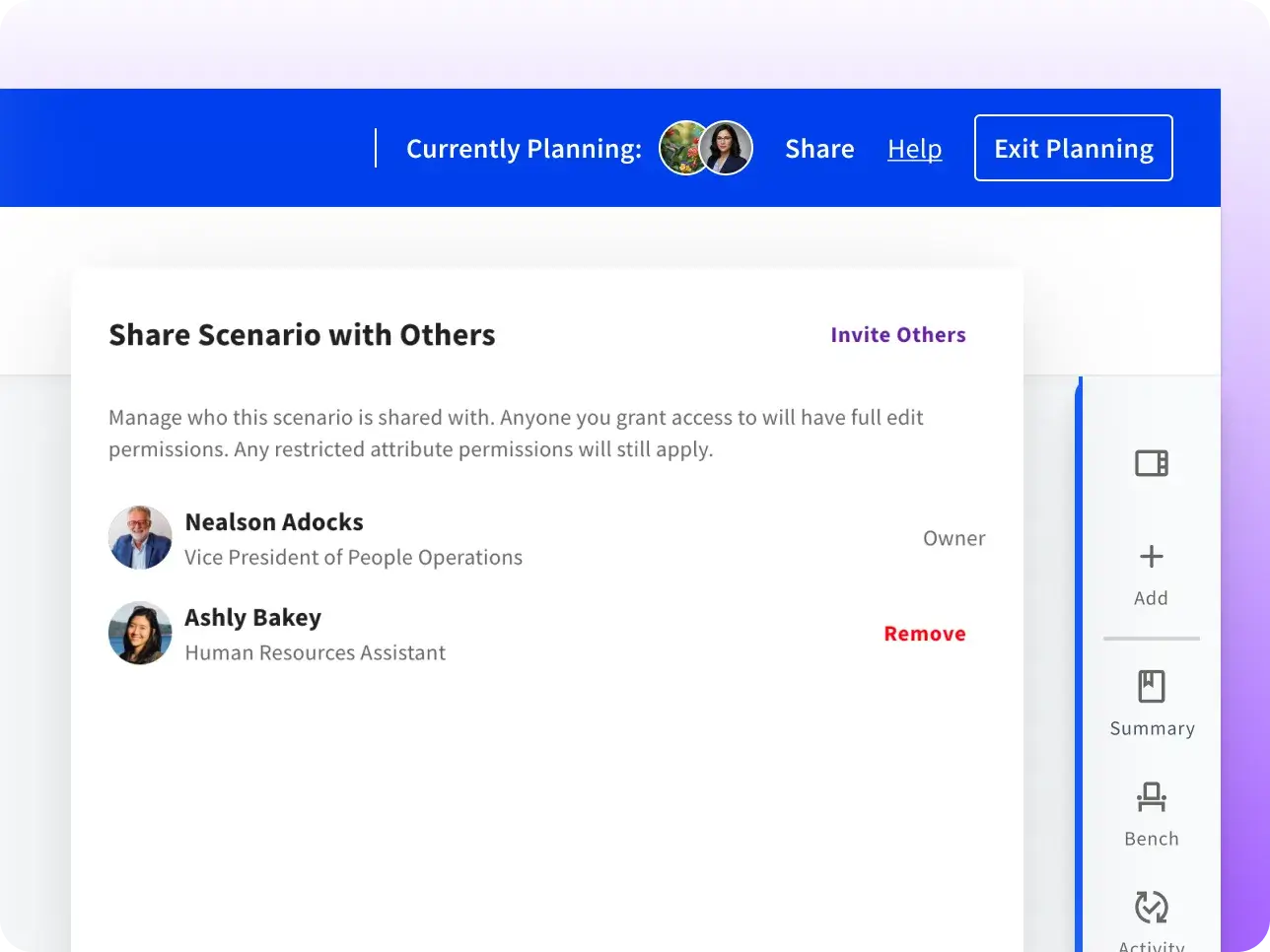
Select Share to bring collaborators into a scenario. They can view, edit, and comment, and you'll see their changes as they happen. Comments can sit on the scenario as a whole or on a specific card, so an HR business partner can flag a reporting-line conflict right where it shows up. An activity log keeps track of what changed, when, and who made the change.
Scenarios stay private to the people you share them with. You can share a scenario with someone who doesn't have permission to create scenarios of their own, which keeps the circle tight while still letting the right business leaders weigh in.
Moving people, with their context intact
Here's the part we're most excited about. Because Org Planning sits on top of Sift's org chart and employee profiles, moving someone in a scenario brings their profile along. When you're deciding where a person fits, you can see the skills, experience, and current projects already captured in their Sift profile, instead of a box with a name and a title.
That context matters most in exactly the situations HR teams are dealing with now. If AI is taking on more of a team's transactional work, you can see who has the experience to move into newer roles. If you're combining two orgs after a deal, you can see where expertise overlaps and where it's thin. Decisions built on that kind of information are a lot easier to explain and defend later.
Designed for intuitive team collaboration
From day one, our priority was making Org Planning accessible to everyone involved in organizational change. Historically, org planning has been treated as a specialized task restricted to HR teams and analysts. In practice, however, managers understand their teams best and deserve a direct role in shaping them without needing to master complex software.
That's why Org Planning functions seamlessly within the existing Sift org chart interface. You can spin up a scenario from live data, adjust structures via drag-and-drop, add unlisted roles, or place team members on the Bench while evaluating options. Throughout the process, the Summary automatically calculates real-time headcount and compensation impact.
Collaborators don't need administrative permissions to contribute. Scenario creators can invite leaders to view, edit, or leave targeted feedback directly on individual cards. This provides managers with a meaningful opportunity to collaborate during the drafting stage rather than reacting after decisions are finalized.
What it looks like for your team
For HR and People Ops, Org Planning replaces the deck-and-spreadsheet shuffle with one working plan. You can build a couple of versions of a restructure, pull the right leaders in to react, and catch a skills gap or a span-of-control problem while it's still a draft.
For Finance and FP&A, the Summary gives you headcount and (when enabled) compensation impact while the structure is still being shaped. You can watch the numbers move as positions are added or consolidated, rather than reverse-engineering cost from a final slide.
For business leaders, a shared scenario means seeing exactly how a proposed change affects their function, and having a place to push back before anything is final.
Built on the data you already run
A plan is only as good as the data it starts from. Sift holds certified integration partnerships with Workday, UKG, and Microsoft, and scenarios pull from the same live data that powers your Sift org chart, whether that comes from your HRIS, an ATS integration, or a CSV. Sift is designed to complement the HR systems you already have, so your HRIS stays your system of record while Sift gives you the space to plan.
Getting started
If you're already a Sift customer, Org Planning is available now. It's turned on by default, and Sift administrators can manage it from the Admin Dashboard. Head to Feature Management to find the Org Planning switch, and use Manage Access to choose who can create scenarios.
For a step-by-step walkthrough, check out Getting started with Sift Org Planning in our Help Center.